northgatesupply.com
Your store address. That is the whole input.
Works with any Shopify store
Paste your store address. topdf reads your published products, prices and photos, picks up your logo and colours, and hands back a laid-out catalog — no spreadsheet, no template, nothing to fill in.
On Shopify it is one step: paste the address. The rest is what topdf is doing while you wait.
topdf reads your shop's own public product feed — every published item, with its photos, prices and descriptions exactly as you wrote them.
Your logo off your homepage, your brand colour out of that logo, your shop name and location for the footer. The page is drawn in your colours, not ours.
A cover page, then as many pages as your products need, each product sized and captioned in its own box. Change your store, press it again.
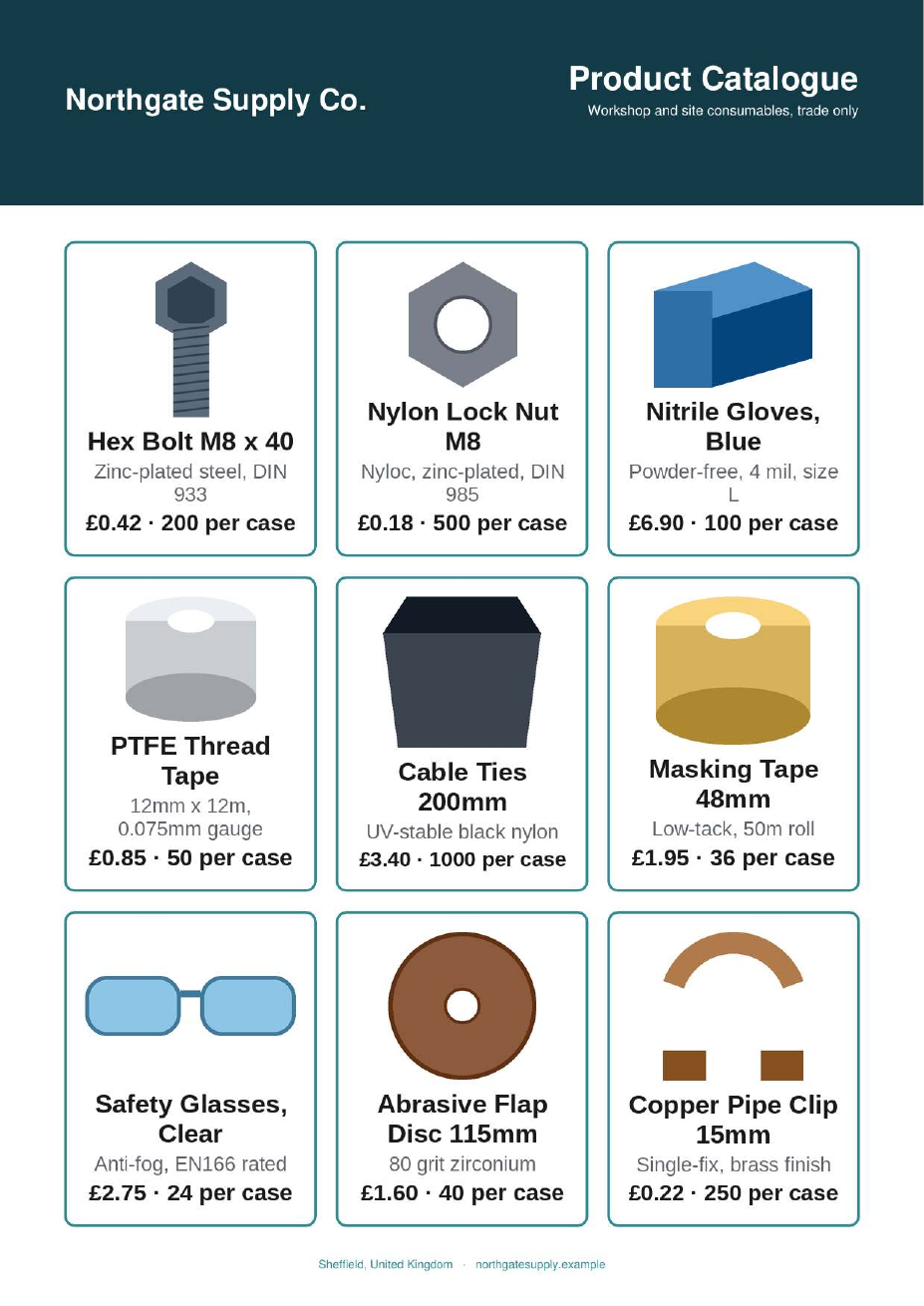
Two ways in, one kind of thing out. Every picture below is a real export — nothing was touched afterwards.
Your store address. That is the whole input.
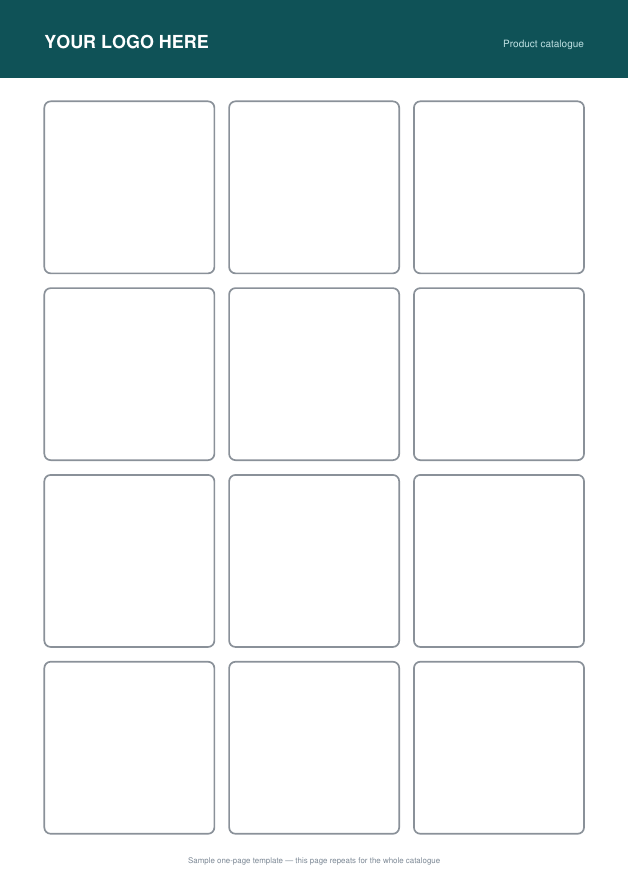
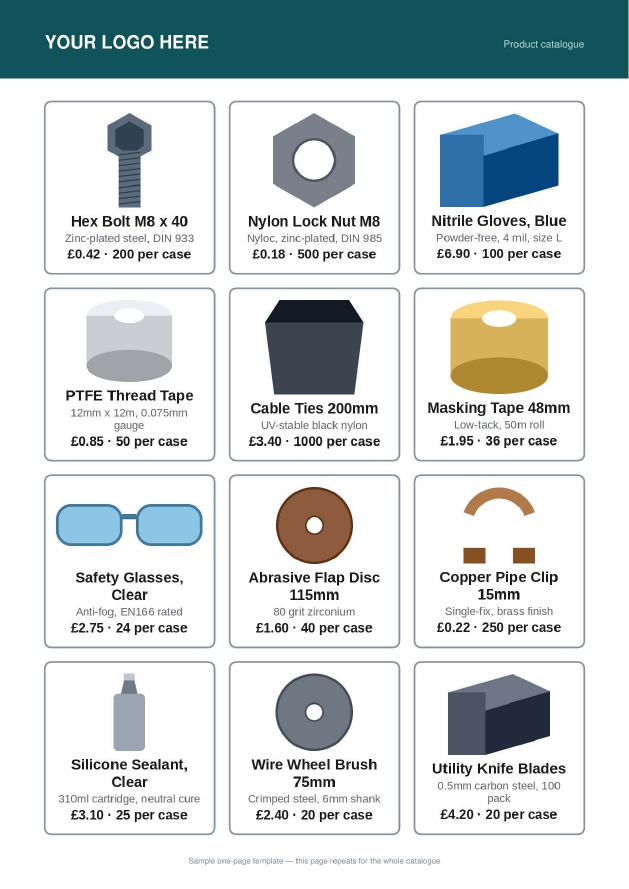
Two files in, one PDF out. topdf finds the empty boxes you drew and fills them — so the catalog looks like yours, because it is. Nothing you upload is kept.
Up to 30 MB per upload, 400 products per run, a handful of catalogs an hour. Stuck? The guide walks through both files and what every error means.
Two are required, three are optional — leave one out and it simply doesn't appear on the card. Header names are matched loosely, and column order doesn't matter.
| Column | What goes in it | |
|---|---|---|
Image URL |
required | A public link to the product photo. A photo on a white background works best — the white is trimmed away before the photo is placed. |
Name |
required | The product name, printed under the photo. |
Description |
optional | A short line under the name — spec, size, material. Two lines at most, so keep it tight. |
Price |
optional | A bare number prints as £; a value that already starts with $, €, ₹ and so on keeps its own symbol. |
Case Size |
optional | A bare number prints as "24 per case". Anything else — 24 x 500ml — is printed exactly as you typed it. |
If someone in your week is pasting product photos into a document one at a time, this is that job.
Price lists and promotional catalogs for trade buyers, rebuilt whenever the list moves.
Line sheets and lookbooks for stockists, from the same product sheet each season.
You can export your products but not lay them out. A store export already has an image column and a name column in it.
If someone is pasting product photos into a document one at a time, this is that job, minus the afternoon.
It never invents a design. It reads the boxes you drew and fills them — so the catalog looks like yours, because it is.
No fixed grid to conform to. Three boxes across or five, four rows or one, different sizes on the same page — it finds whatever is actually drawn.
Product images are pulled from the URLs in your sheet, trimmed of their white background, and fitted to the box without stretching.
No description, price or case size in your sheet? The card simply doesn't show them, and the photo gets the space instead.
Template pages are used in order and the last one repeats until the products run out — so a cover plus a repeating inner page works with no setting to find.
A4, Letter, or something you invented. Boxes are found where they are, not where a template says they ought to be.
One card design, one quality, chosen to balance sharpness against file size. There is no settings page because there are no settings.
Your files and the finished PDF are deleted in the same request that made them. No account, no history, nothing to delete later.
You need one — that's the point. topdf places products into a design you control rather than imposing a layout of its own. If you don't have one yet, download a blank template above and decorate around the boxes.
It renders your template and looks for rectangles that are drawn as visible outlines and still empty inside. That second half matters: a solid banner or a dark footer strip is inked all the way through, so it is never mistaken for somewhere to put a product.
Image URL and Name are required. Description,
Price and Case Size are optional. Names are matched loosely, so
Image_URL, image url and Photo all land in the same
place.
From the links in your sheet — each one has to open in a browser without signing in. A Google Drive or Dropbox share page is not an image link, and a file path from your own computer won't work, because your computer isn't on the internet from here. A row whose photo can't be loaded still gets a card, just without the picture.
Yes. File → Download → Comma-separated values, and upload the .csv. Excel's various encodings and semicolon delimiters are handled too.
Up to 400 per run, and up to 30 MB of upload. A longer list can be split and run twice.
No. Each run gets its own folder, the finished PDF is read into memory, and the folder is deleted in the same request — before you've finished downloading it. Nothing is logged except that an export happened, how long it took and how big it was.
It's free, with no account. If it gets popular enough to cost real money to run, that will change and it will say so here first.
On Shopify it takes one paste and about a minute. Not on Shopify? The sample files are already loaded — one click and you'll have a finished catalog PDF without uploading anything of your own.
Built by dave8172. If you make something with it, I'd genuinely like to know what for — mdhawal94@gmail.com.